The privacy scan shows every outside service, cookie and font your pages load, in plain words. It runs in your own browser from the dashboard, so it sees your site the way a first-time visitor does.
Run a scan
- Go to CookieSure → Scan.
- Click Start scan. CookieSure collects your pages (home, recent posts, pages and more) and opens up to 50 of them.
- Keep the tab open until the progress bar finishes. You can use another tab in the meantime.
Run the scan again after you add a plugin, change your theme or embed new content. The button then says Scan again.
Reading the results
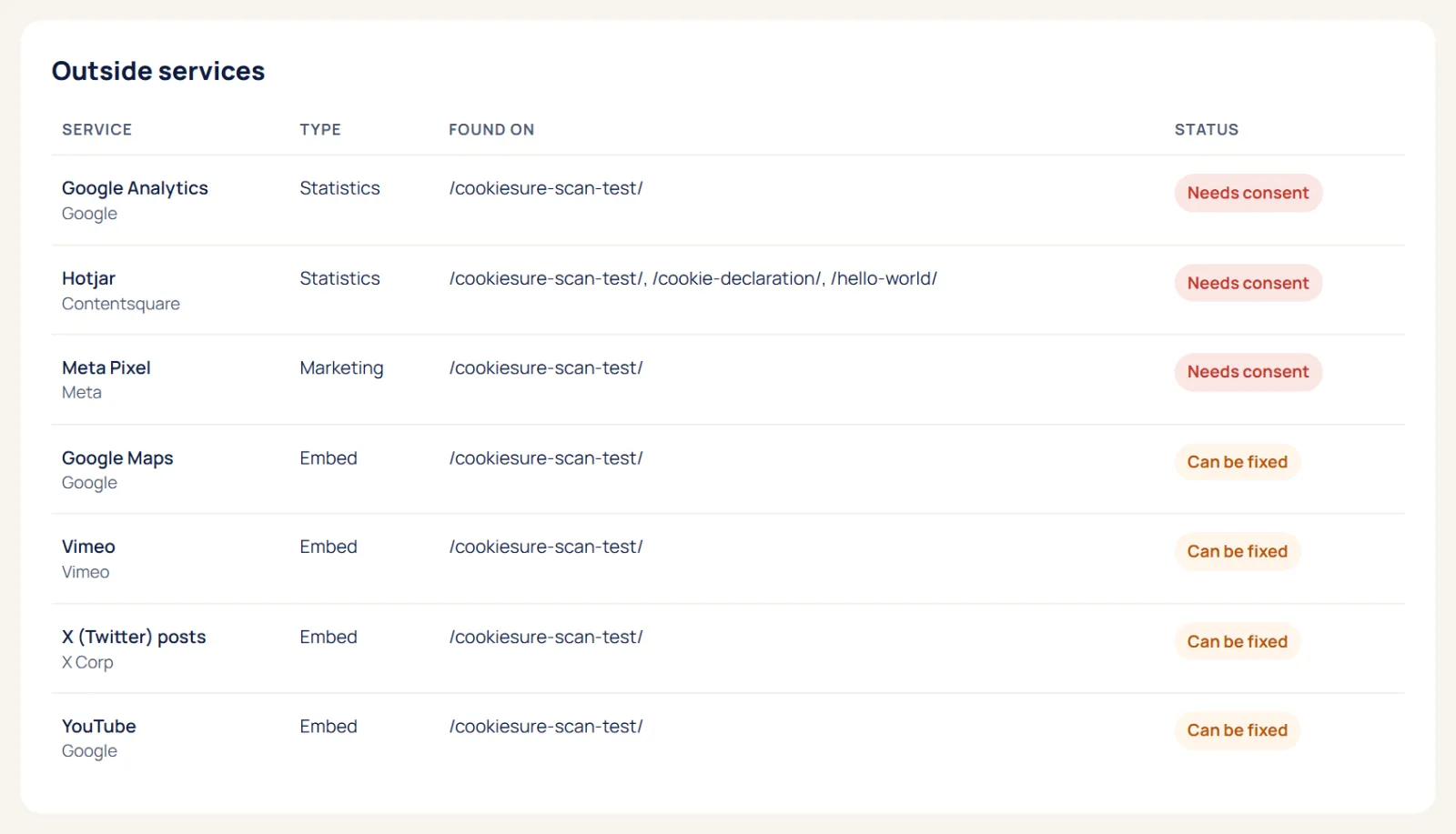
Each outside service is listed with the company behind it, the type (statistics, marketing, fonts, media, CDN) and a status:
- Needs consent: the service sets cookies or tracks visitors and must wait for a yes, for example Google Analytics or a Meta pixel.
- Can be fixed: CookieSure can remove the need for consent, for example by hosting Google Fonts locally or making a video click-to-load.
- Fine: the service does not need consent.
Below the services you see the cookies the pages set and any outside hosts that are not in our library yet. Use the filter to show only what still needs work.
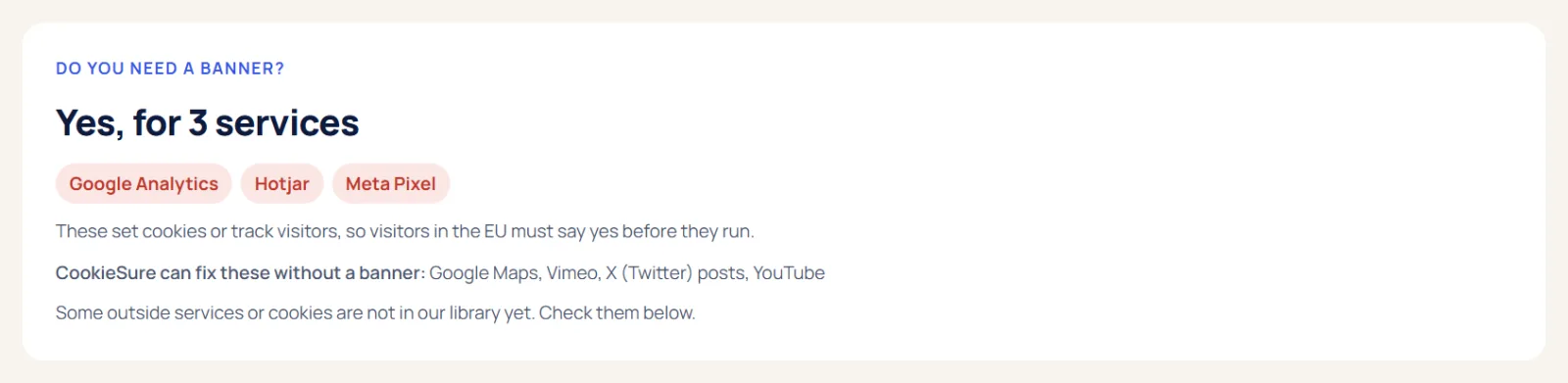
Do you need a banner?
At the top of the results, CookieSure answers this question. If every service is fine or fixed, you do not need a cookie banner for those services. If something still needs consent, the answer names it, and you can switch on the banner.
Tips for a complete scan
- Scan after every new plugin, theme change or new embed, because each can bring outside services.
- Pages behind a login or a form step are not opened. Check those pages by hand, or with the free checker if they are public.
- Something listed as not in our library yet is an outside host we do not know. Look it up, and remove it if your site does not need it.
Next, apply the one-click fixes for everything marked Can be fixed.
FAQ
Is anything sent to CookieSure during a scan?
No. The scan runs in your browser and the results are saved in your own WordPress database.
Why does the scan miss a service I know is there?
Some services only load after a click or on pages the scan did not open. Run the scan again after visiting that page type, or check the page with the free cookie checker.
Can the scan run on its own every day?
Scheduled scans with email alerts are part of CookieSure Pro (Watch). In the free plugin you start the scan yourself.