CookieSure counts visits without cookies, so the stats need no consent and include every visitor. They are on by default and live on CookieSure → Stats.
How counting without cookies works
- Each visit is recognised by a hash made from data the browser sends anyway, mixed with a secret that changes every day.
- The hash cannot be turned back into an IP address, and it changes daily, so the same person is not followed from day to day.
- Nothing is stored in the visitor’s browser: no cookie, no local storage.
- The country comes from your server or CDN (for example Cloudflare’s country header), or from the visitor’s time zone.
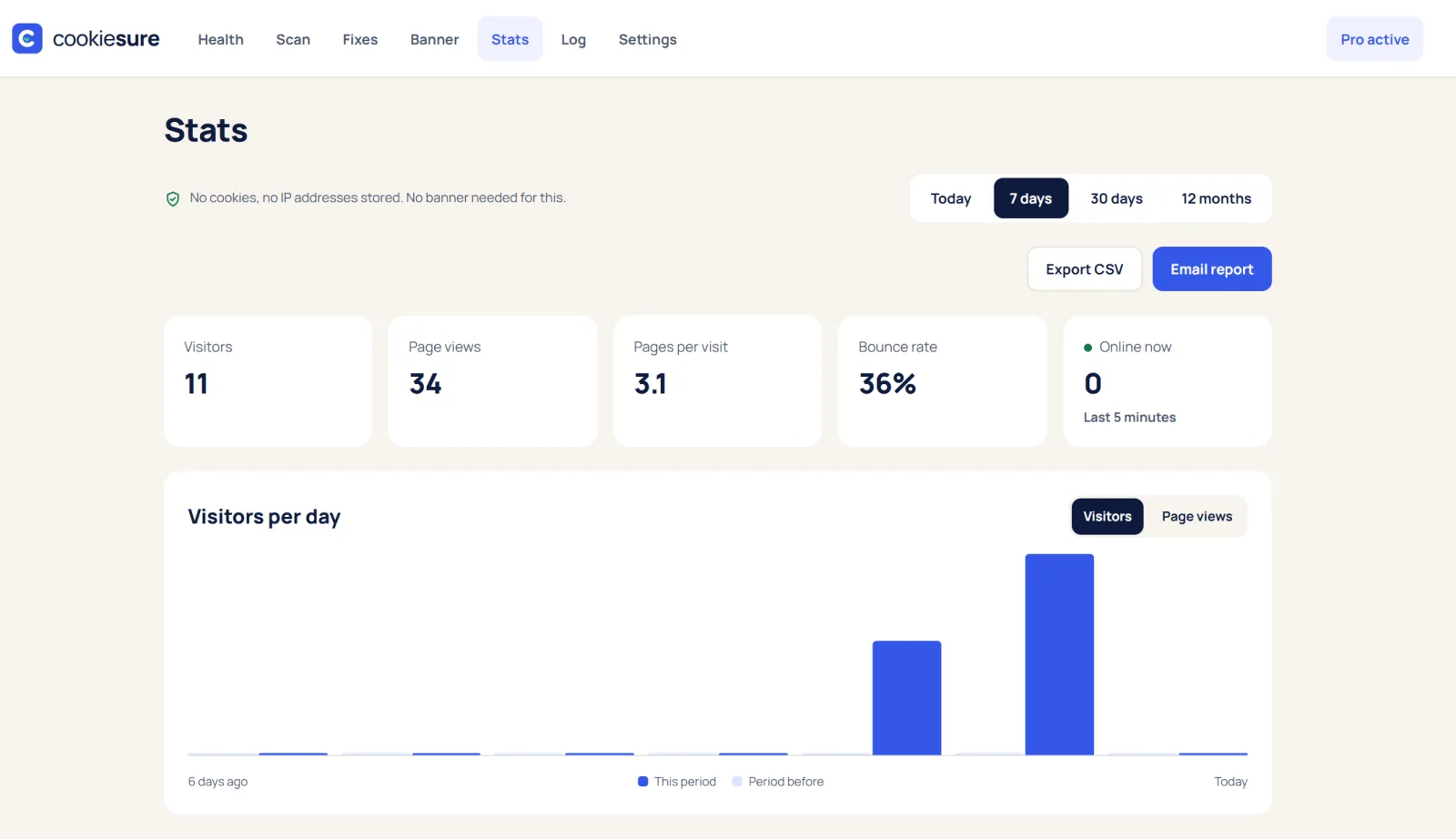
What you see
- Visitors, page views, bounce rate and time on page, plus who is online now.
- Top pages and entry pages, sources, countries with flags, devices, browsers and systems.
- Today, 7 days, 30 days or 12 months, each compared with the period before.
- A small summary on the WordPress dashboard.
Switch it off
If you use another analytics tool and do not want two, turn off Count visitors without cookies on CookieSure → Settings.
Reading the numbers
- Visitors are counted once per day per browser. A person who comes back the next day is counted again, because the daily hash changes.
- Bounce rate is the share of visits that saw one page only.
- Sources show the site a visitor came from, such as a search engine or a link on another site.
Because nothing is stored in the browser, the stats need no banner and include visitors who reject cookies.
FAQ
Why are my numbers lower than in Google Analytics?
Often they are higher, because cookieless stats count visitors who reject cookies. Differences also come from how each tool defines a visit.
Can I track goals and campaigns?
Goals, campaigns from utm links, clicks out, downloads, 404s and email reports are in CookieSure Pro, also without cookies.
Is my stats data sent anywhere?
No. The numbers are stored in your own WordPress database and shown on the Stats screen only.