CookieSure installs like any WordPress plugin and needs no account. After activation a short setup runs a privacy scan of your site and tells you whether you need a cookie banner at all.
Requirements
- WordPress 6.6 or newer
- PHP 7.4 or newer
- An administrator account (the plugin’s screens need the “manage options” permission)
Install the plugin
- In your dashboard go to Plugins → Add New Plugin and search for CookieSure.
- Click Install Now, then Activate.
- A new CookieSure item appears in the admin menu. Open it to start the setup.
The first setup
The setup walks you through three steps:
- Scan. CookieSure finds your pages and opens up to 50 of them in your own browser, one after the other. Nothing is sent to us. Keep the tab open until the scan is done.
- Fix. You see what can be fixed without a banner, such as Google Fonts or YouTube videos, and can apply the fixes with one click. You can also Continue without fixes and do it later.
- Do you need a banner? Based on the scan, CookieSure tells you whether anything on your site still needs consent. If it does, pick a banner layout. If not, you can finish without a banner.
What to do next
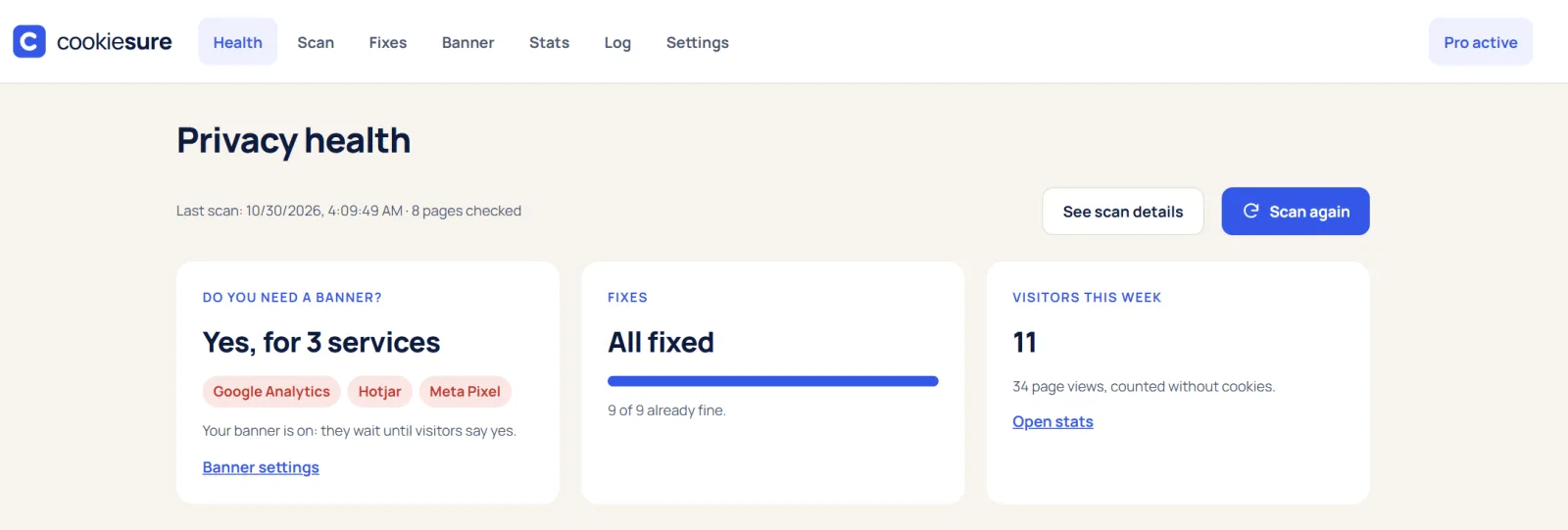
- Open Health for a summary of your site’s privacy state.
- Read The privacy scan to understand each finding.
- Apply the one-click fixes that make a banner unnecessary.
- Check Stats after a day to see your first visitors.
If the setup does not start
- No CookieSure menu? Check that the plugin is active under Plugins, and that you are logged in as an administrator.
- The scan stays at 0%. A security plugin or a maintenance mode can block the scan from opening your pages. Pause maintenance mode and try again.
- Using a cache plugin? That is fine. CookieSure clears known page caches after a fix; if a fix does not show, clear your cache or CDN once.
Want to see what a page sends before you install anything? Try the free cookie checker.
FAQ
Do I need an account or API key?
No. CookieSure works fully on your own site. It does not call home and stores everything in your WordPress database.
Will the banner show right after I activate the plugin?
No. The banner is off until you switch it on in the setup or on the Banner screen, so nothing changes for your visitors until you decide.
Does CookieSure work with page builders?
Yes. It works on the pages your theme or builder outputs, and the click-to-load fix also covers the Elementor video widget.