- When fonts load from fonts.googleapis.com, the visitor’s browser sends its IP address to Google.
- In January 2022 a Munich court awarded a visitor €100 in damages for exactly this.
- Hosting the fonts on your own server removes the request. Your site looks the same.
Why Google Fonts can be a GDPR problem
Most WordPress themes and page builders load fonts from Google’s servers. To download a font, the visitor’s browser connects to fonts.googleapis.com and fonts.gstatic.com, and every connection carries the visitor’s IP address.
Under the GDPR, an IP address is personal data. Sending it to a third party needs a legal basis, and “it makes my site look nice” is hard to defend when the same font can be served from your own server.
receives IPyoursite.com/fonts
stays on your site
What the Munich court decided
On 20 January 2022 the Regional Court of Munich (case 3 O 17493/20) ruled that a website had breached the GDPR by passing a visitor’s IP address to Google through Google Fonts without consent. The court awarded the visitor €100 and noted that the fonts could have been hosted locally.
How to check your WordPress site
- Open your site in a private window.
- Open the browser’s developer tools and go to the Network tab.
- Reload the page and type
fonts.gin the filter box. - If you see requests to
fonts.googleapis.comorfonts.gstatic.com, your fonts load from Google.
Faster: the CookieSure scan checks up to 50 pages at once and lists every page that loads Google Fonts.
How to host Google Fonts locally
Option 1: with CookieSure (one click)
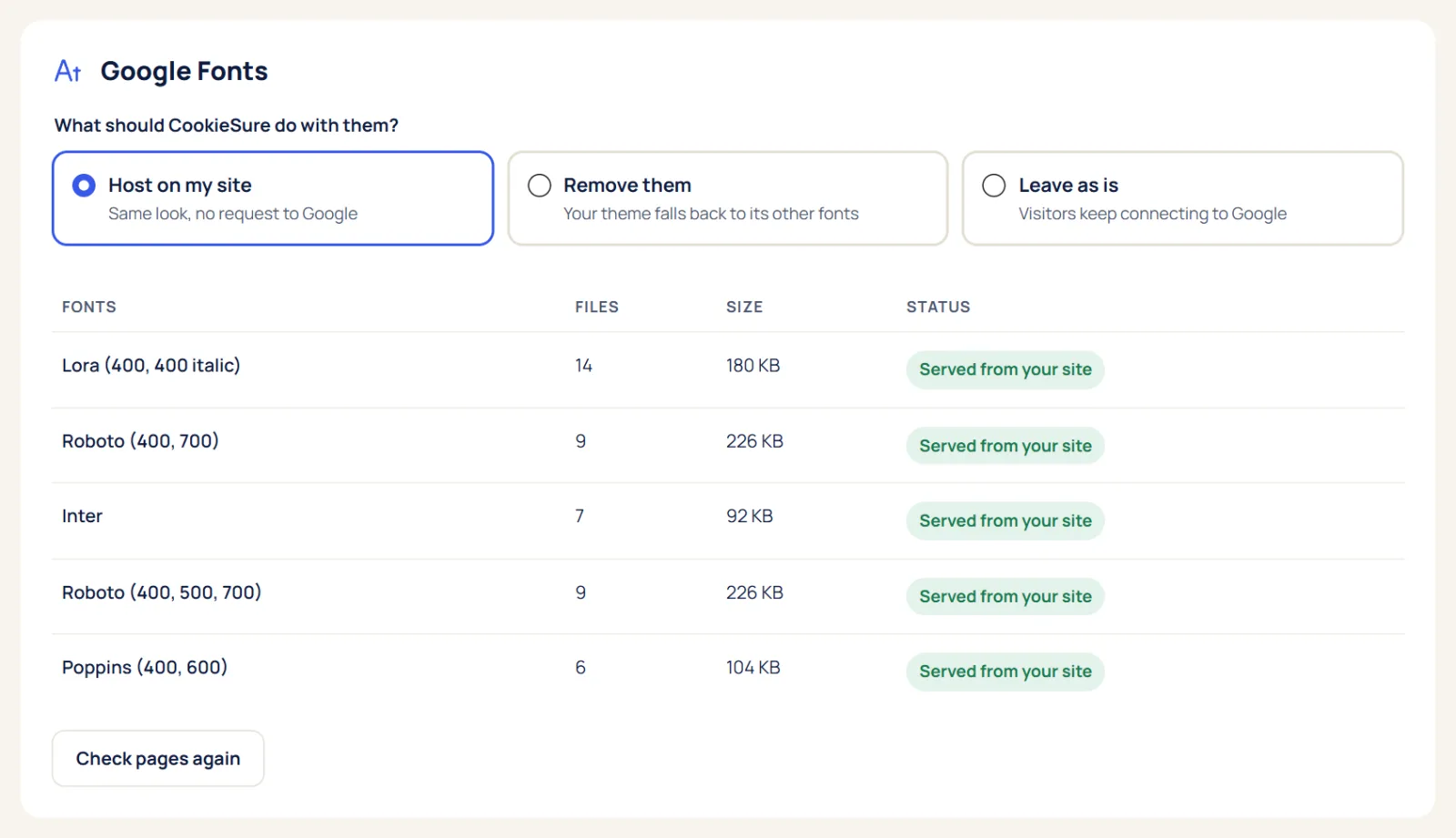
Run a scan, then click Host Google Fonts on this site. CookieSure downloads the font CSS and files your site already uses, once, and serves them from your own server.
Option 2: by hand
Download the font files, upload them to your theme, and add @font-face rules:
@font-face {
font-family: "Inter";
src: url("/wp-content/themes/my-theme/fonts/inter.woff2") format("woff2");
font-weight: 400 700;
font-display: swap;
}
Then turn off the Google Fonts option in your theme or builder so the old link is removed.
Local fonts vs Google-hosted fonts
| Google-hosted | Hosted on your site | |
|---|---|---|
| Visitor IP sent to Google | Yes | No |
| Needs consent | Arguably yes | No |
| Extra connections | 2 outside domains | None |
| Looks the same | Yes | Yes |
Where Google Fonts come from on a WordPress site
Fonts rarely come from one place. On a typical WordPress site they can be added by:
- The theme, often through a typography setting in the Customizer.
- A page builder such as Elementor, Divi or Beaver Builder, which loads every font you pick in its editor.
- Plugins with their own styling: sliders, forms, pop-ups and maps often bring a font of their own.
- Custom code pasted into the header, such as an
@importline in a stylesheet.
That is why switching off one setting is often not enough. Since WordPress 6.5, block themes can also install Google Fonts through the Font Library, which stores the files on your own server.
What about other font services?
| Service | Where it loads from | What to do |
|---|---|---|
| Google Fonts | fonts.googleapis.com | Host locally |
| Adobe Fonts | use.typekit.net | Ask for consent first; the licence does not allow copies |
| Font Awesome (CDN) | A public code CDN | Copy the files to your site |
| Bunny Fonts | fonts.bunny.net | Built as a privacy-friendly drop-in; many sites still host locally |
The free plugin handles Google Fonts. Copying Font Awesome and other CDN files, and holding Adobe Fonts until consent, are part of CookieSure Pro.
Checklist after you switch
- Clear your cache plugin, hosting cache and CDN once.
- Open the site in a private window and check the Network tab again: no requests to
fonts.googleapis.comorfonts.gstatic.com. - Check a few different page types: home, a post, a page built with your builder, and your contact form.
- Run the CookieSure scan or the free cookie checker to confirm.
- Remove Google Fonts from your cookie banner and policy if they were listed there.
Step-by-step instructions for every fix are in the one-click fixes guide.
FAQ
Are Google Fonts illegal under GDPR?
Not as such. The problem is loading them from Google without a legal basis. Hosting them yourself avoids the transfer.
Can I just ask for consent instead?
You could, but fonts are needed before anyone answers a banner. Hosting them locally is simpler and faster.
Does hosting fonts locally break the font licence?
No. Google Fonts are open source and may be self-hosted.
Does hosting fonts locally make my site faster?
Often, yes. The browser no longer has to connect to two extra domains before it can show text. The gain depends on your hosting and cache setup.
This article explains how the technology works and is not legal advice.
One useful guide a month
New privacy guides for WordPress, straight to your inbox. No spam, unsubscribe any time.
The CookieSure team builds a privacy-first cookie plugin for WordPress and writes about privacy you can actually set up.